why your ai character looks different in every shot
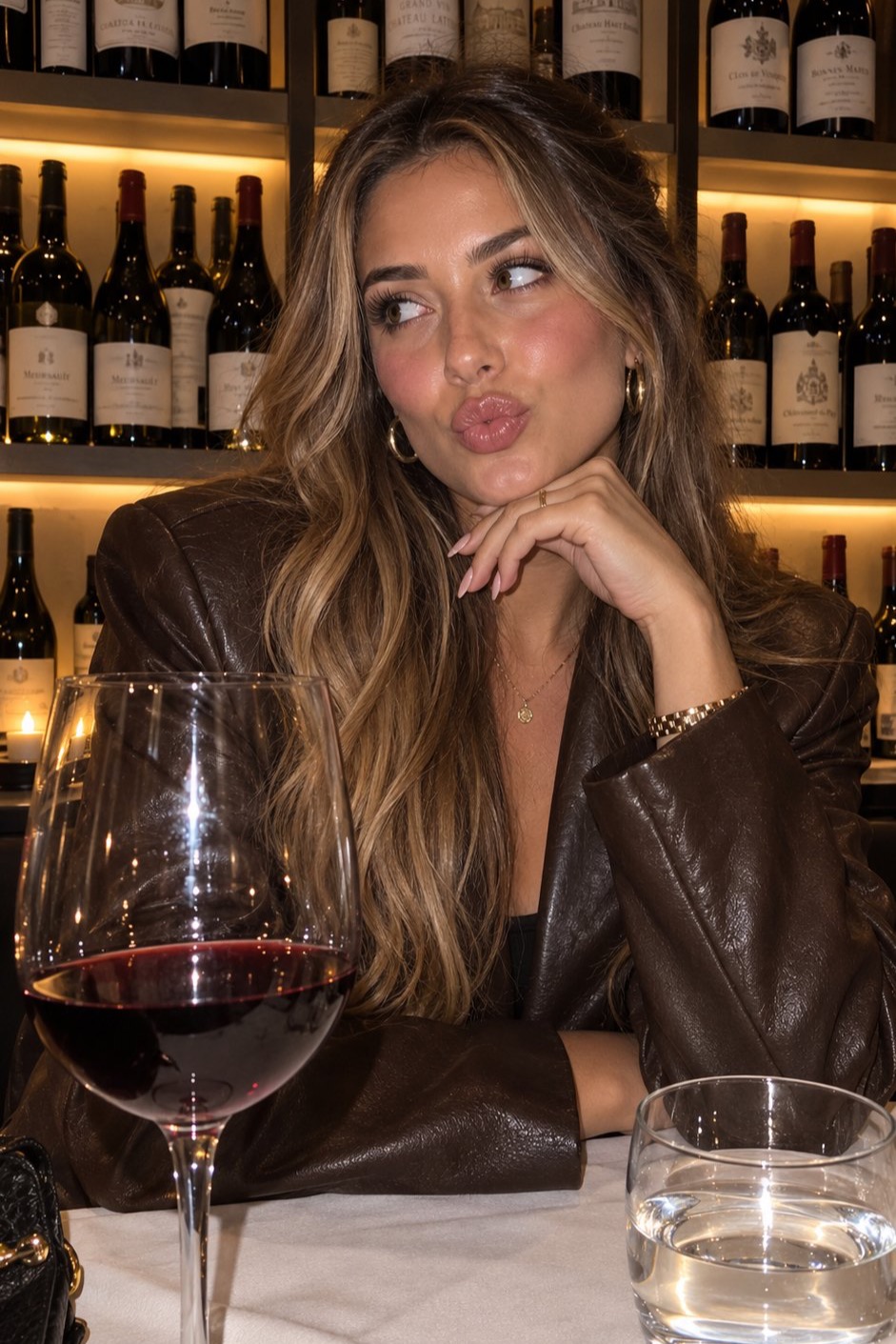
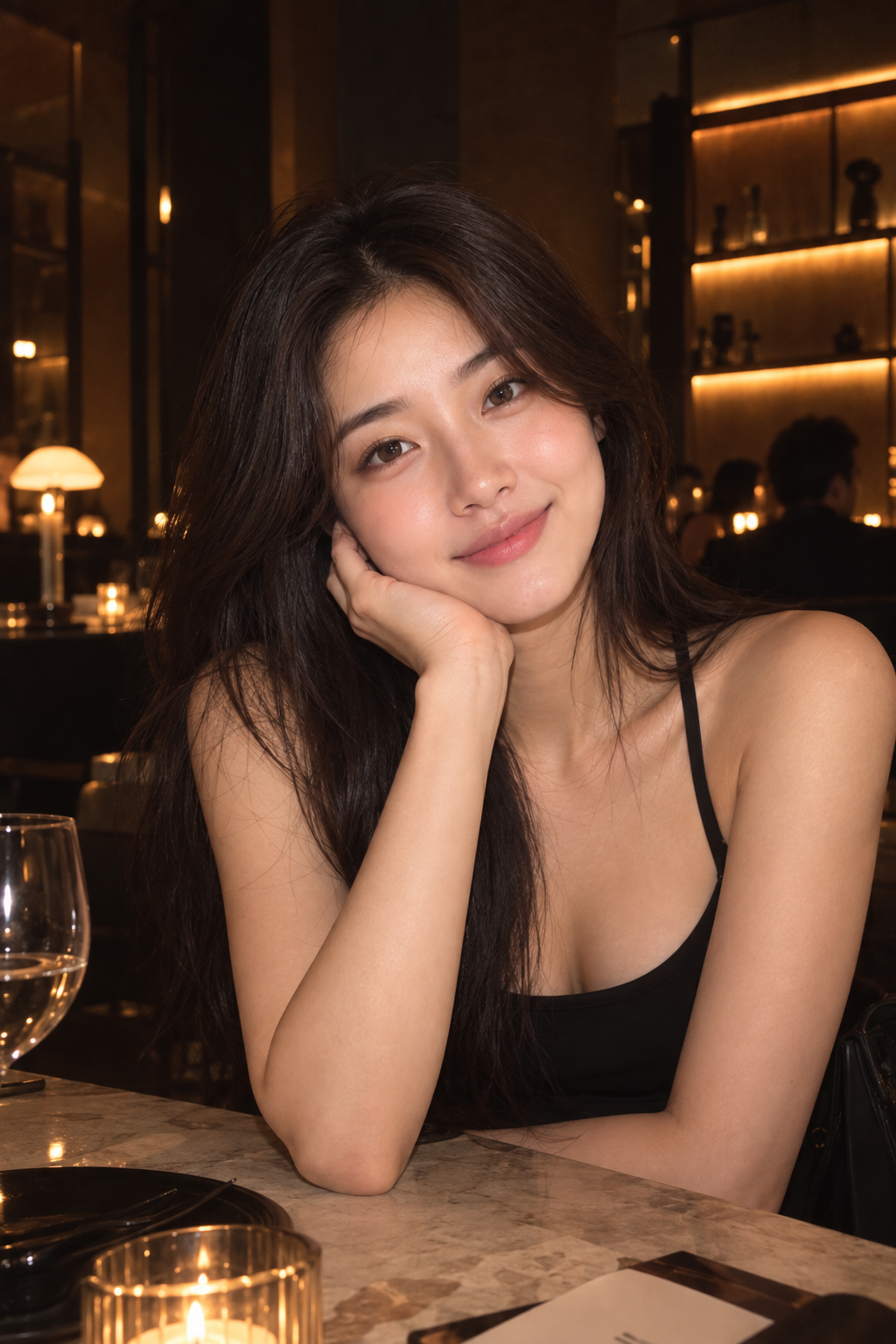
 hey. new long-form video is up. this one solves the most annoying problem in ai video: your character looks different in every shot. the short version: stop generating videos from one random portrait. build two reference files first. one defines who the character is. one defines how the shot looks. then every scene you generate inherits both. i just published the full build: How to Make Consistent AI Characters with GPT Image 2.5 + Seedance. same character across three separate videos. different scenes, different lighting, different camera angles. she still looks like her and sounds like her. this email is the 4-step workflow from the video, so you have it in text form. 1. build the multi-angle character sheet the first mistake people make: one portrait in, full video out. that portrait might hold up for a front-facing talking head. but the moment the character turns, walks, or the camera angle changes, the model has to guess what the rest of the person looks like. that's where identity drift starts. the fix is a character sheet. use the multi-angle prompt from my documentation with gpt image 2.5, feed it your reference portrait, and you get every view of the character in one shot: closeup from the front, both three-quarter angles, profile, and several full body angles. i got 10 views of the character in under a minute. check the sheet. if the facial characteristics and body traits pass your check, save it together with the original portrait. that pair is the character's identity reference. 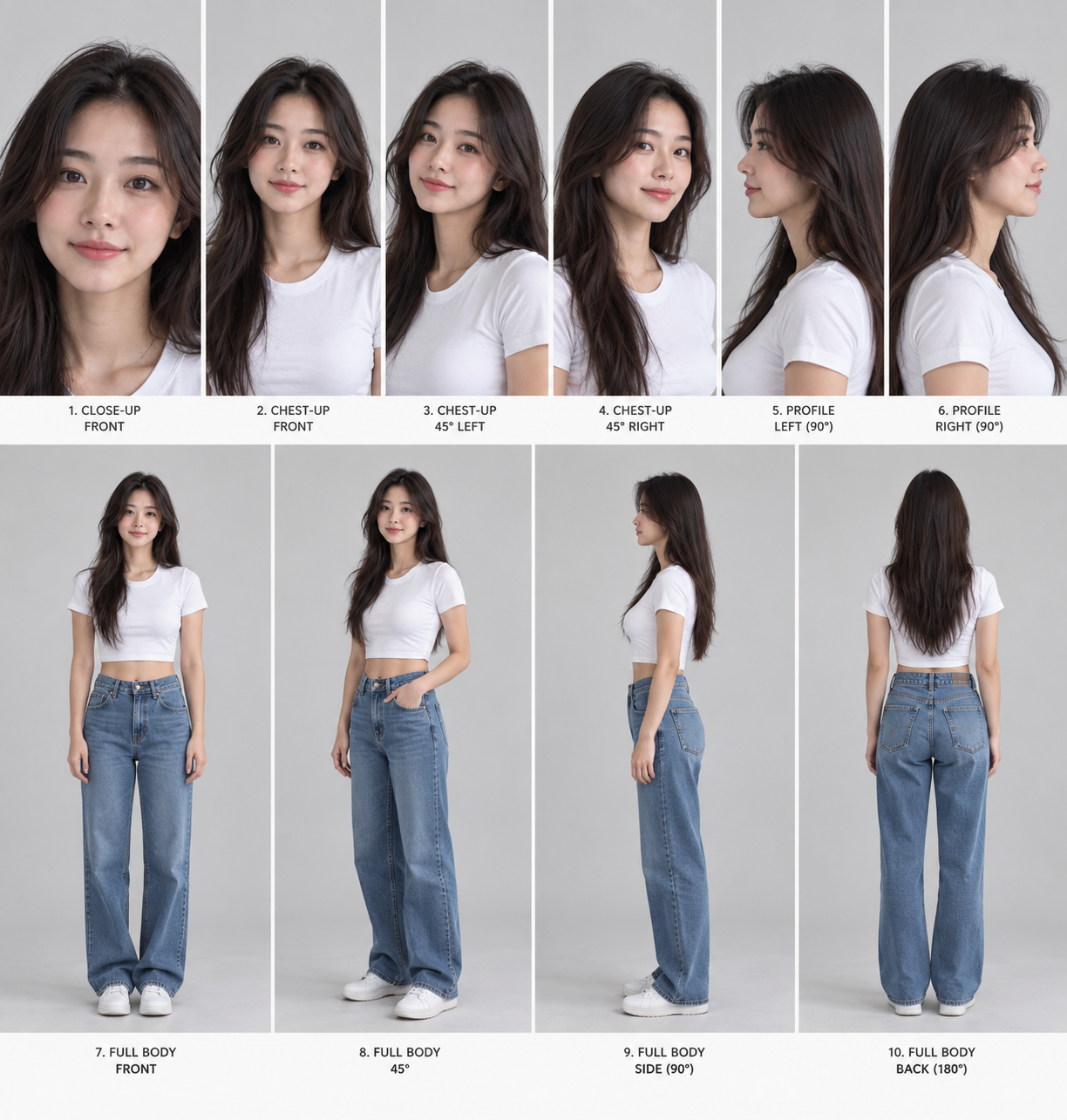 2. extract any visual style into a reusable json next question: how should the scene look? maybe you want your avatar in a coffee shop, or a lifestyle background, and you can't describe the style in words. find a reference image you like. in the video i used a viral shot of a lady in a bar. the lighting is the kind of thing your eyes can feel but your words can't describe. so let gpt-6 astra analyze it instead. the style extraction prompt breaks the image down into everything that makes it look the way it does: lighting, color treatment, camera position, lens characteristics, composition, environment, texture. and it returns the result as json, because json is a reusable file, not a vibe. paste that json into gpt image 2.5 with your scene idea, and within a minute you get the same lighting, the same styling, the same background feel. you basically copy any scene you want into your own video. i did it twice in the video: the bar-style scene and a comfy lifestyle background. iterate if the first pass isn't right.
3. combine identity + style + scene prompt now you have two ingredients: the identity sheet that defines who your character is, and a style json that defines how any scene looks. ask astra to write video prompts for seedance 2.5, pick one, then head to your video tool and attach three things: the reference file, the style file, and the prompt. in the video, the first generation followed every angle on the reference sheet, and even the camera movement felt natural. one shot. no retries. then i changed the scene completely: studio background, same reference file, only the script changed. and in another test i applied a visual style extracted from another creator's footage. different background, different lighting, different action. still unmistakably the same character. 4. save everything into a reference folder after you test enough, save everything you produce. this is the part most people skip and it's where the compounding happens. identity folder: portraits, multi-angle sheets. style folder: extracted json files and style images. then approved scene images, motion prompts, voice references. next time you want another cafe video, you don't start over. you reuse the identity, reuse the visual style, and change only the scene or action. the whole system is four layers: identity first, style second, scene third, motion last. most consistency problems happen because people jump straight to motion before defining the first three. the full breakdown i documented the entire workflow in the ai character reference system: the prompts, the multi-angle sheet structure, the style extraction prompt, and the seedance workflow. grab it here, no strings. and if you want this kind of video for your business but don't want to build the system yourself, that's literally what my team does. you record 30 minutes once. we handle the scripts, the edits, the posting, every week. our clients don't record at all, and their ai avatars pull multi-million organic views. grab a time here. watch the full build: https://youtu.be/IoNkdlhOWms see you in the next one, |
Joon Ahn's newsletter
marketers spend most of their week making small decisions, not writing. which lead is worth contacting. which message fits that lead. which ad creative to test. is this search term coming from a buyer. is this ad fatiguing. does the landing page match the promise. each one is small. thousands per week makes them expensive. last week i wrote about JEV, the decision model from TypeSafe AI. quick recap: an LLM generates an answer word by word. JEV takes a situation and a fixed list of possible...
hey JEV is insane. it scores your video before you film it, so you know if it's worth making. let me explain. most AI tools write. ChatGPT and Claude generate scripts, hooks, titles, whatever you ask for. JEV is different. it's a new model from TypeSafe AI, and it doesn't write anything. it judges. you give it information plus specific questions. it returns decisions, scores, and confidence your software can use right away. LLMs write. JEV decides. why this matters AI made content cheap....
hey. new long-form video is up. i think short-form editing just changed and most people haven't noticed yet. the short version: you describe the edit in plain english. astra analyzes the footage, marks where to cut, and builds the motion graphics inside ae. i never open the timeline. i just published the 12-minute full build: GPT-6 Astra Changes Short-Form Editing Forever. same avatar video on the left, the astra + after effects edit on the right. same script, same voice, same avatar. only...